What you get back from every estimate
Skoper returns two files. Here is what is in each one.
The Excel workbook
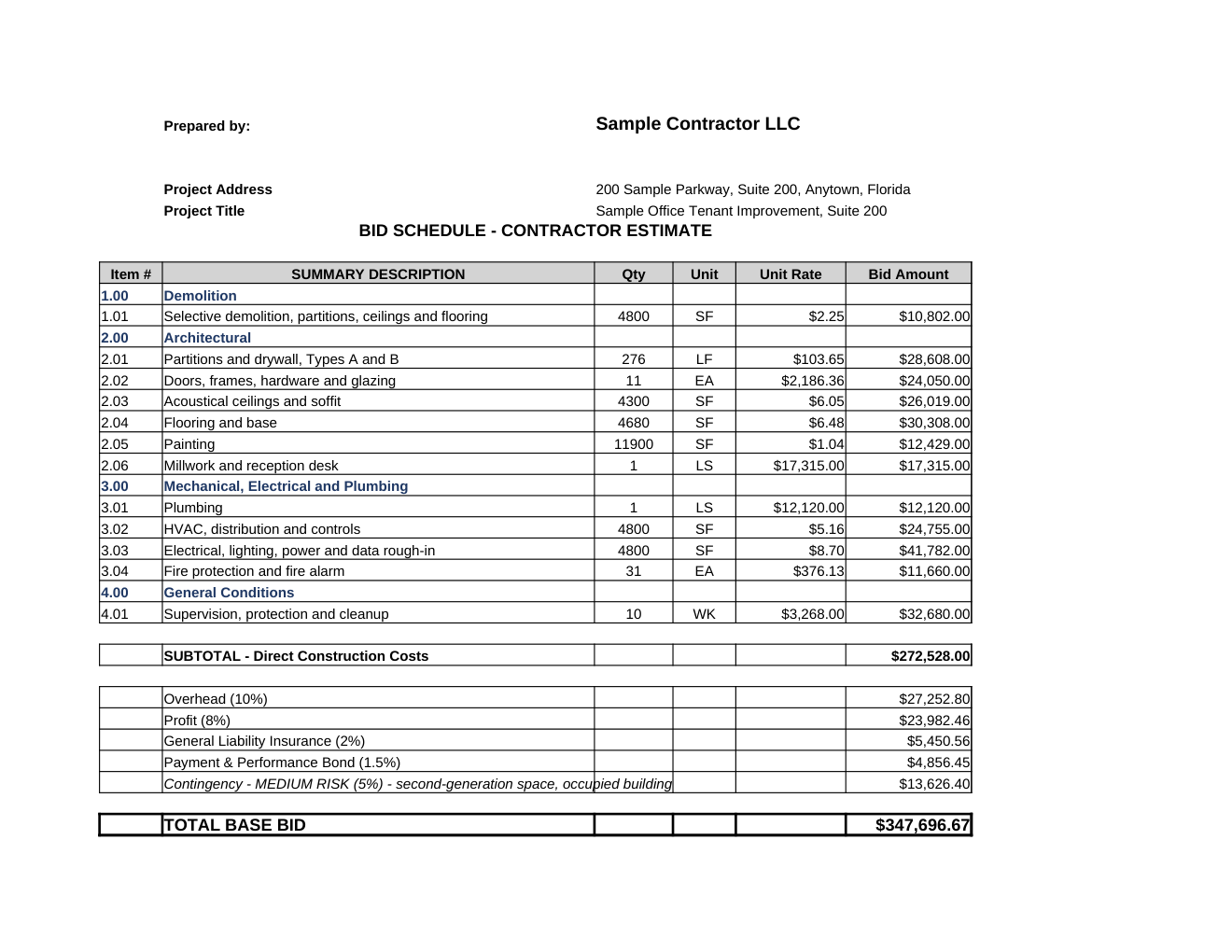
Sheet 1: Contractor Estimate
The bid schedule. One row per bid item with item number, summary description, quantity, unit, and bid amount, grouped under section headers. Each bid amount links to its detail section on the Takeoffs sheet, so the summary and the detail can never disagree. Below the subtotal, five formula rows: overhead, profit, general liability insurance, payment and performance bond, and contingency, then the total. The percentages are set per project and can be changed in Excel.
When you estimate against a bid form with unit prices, a Unit Rate column appears so the sheet matches the owner's schedule.
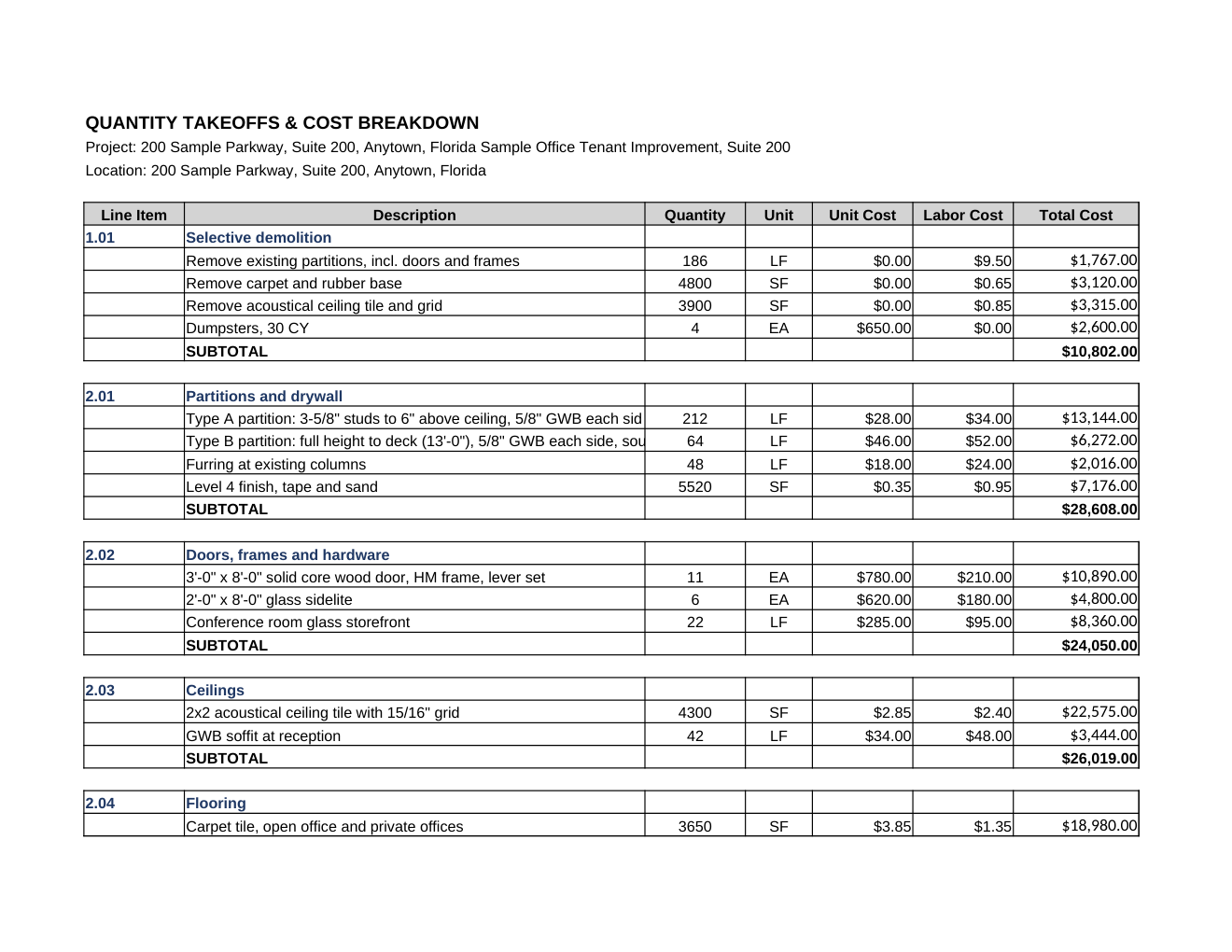
Sheet 2: Takeoffs
Every line item behind every bid item. Columns: line item, description, quantity, unit, unit cost, labor cost, total cost. Units are SF, LF, EA, LS, or CY. Each section subtotals with a live formula. This is the sheet you check against your own numbers and the sheet the browser editor changes.
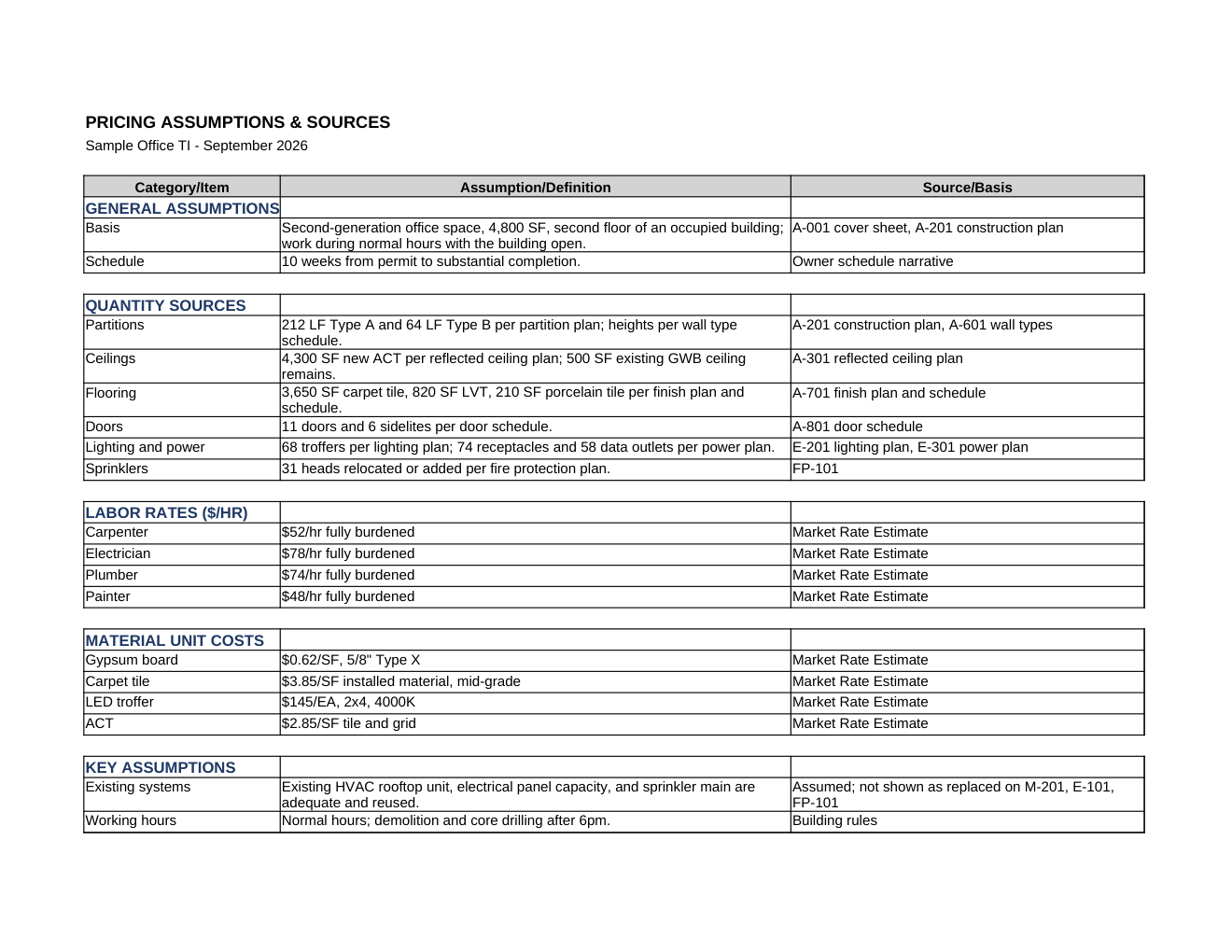
Sheet 3: Assumptions & Sources
Where every number came from. Sections in order: general assumptions, quantity sources (which sheet each quantity was read from), labor rates, material unit costs, key assumptions, exclusions, and risks and contingency factors. A final block lists the pricing basis for every takeoff line: your price book, a market rate estimate, or a reference in the documents.
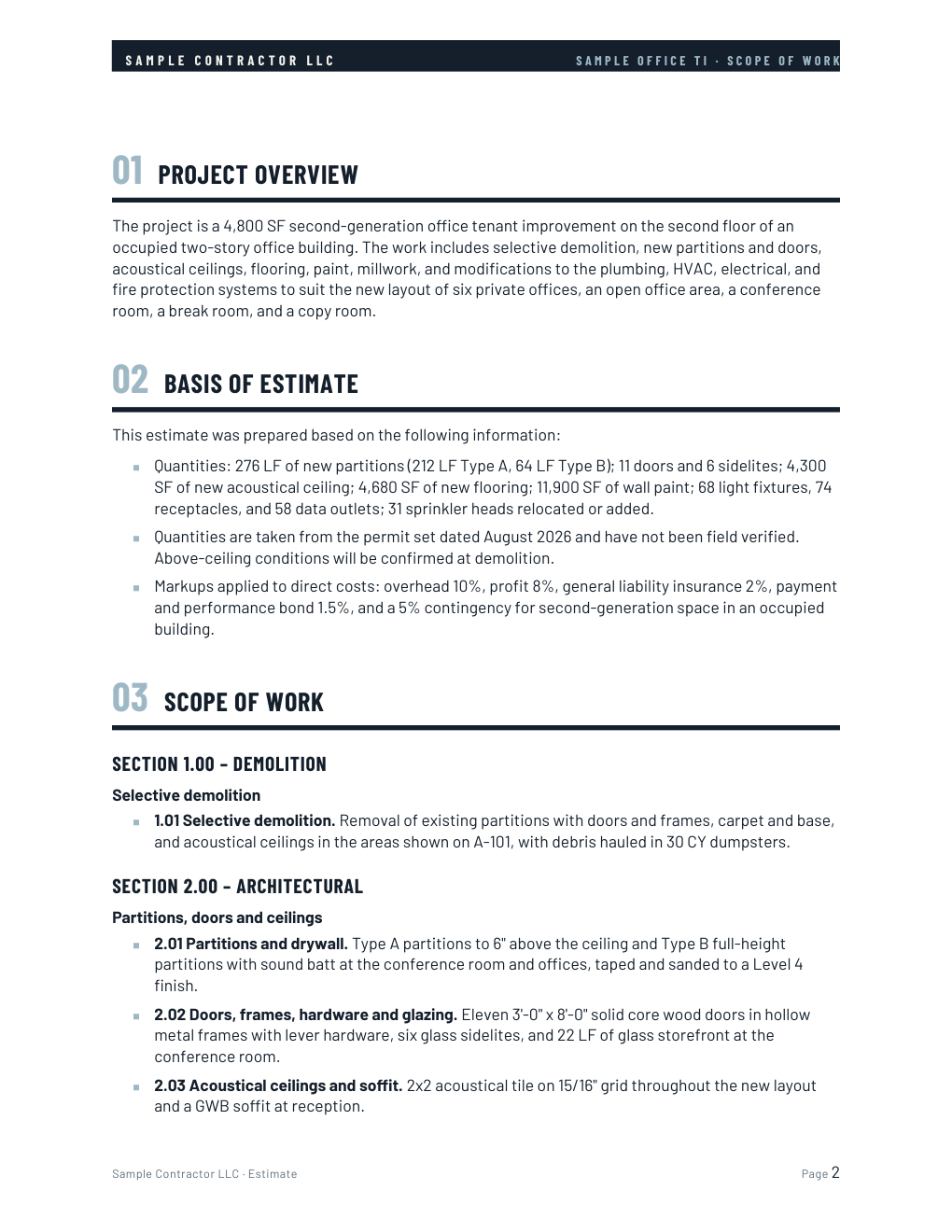
The Word document
Scope of Work
A cover page with the project, location, prepared for, prepared by, and date. Then numbered sections: project overview, basis of estimate, scope of work by area of work, exclusions, and risks and key assumptions, ending in a signature block. It is formatted to send with a proposal, and it carries your company name and logo from Settings.
When you estimate from a description only
Both files are labeled ROM (rough order of magnitude). The workbook carries a warning banner and the document adds a limitations section and a "for budgeting purposes, not a bid or proposal" footer, so nobody downstream mistakes it for a takeoff-based number.
After you download
Open the estimate in the browser editor to adjust quantities, unit costs, descriptions, or lines, then rebuild both files. Re-downloading does not use an estimate. Import your own rates into the Price Book once and every future estimate uses them.